Settings, billing and storage
Three places hold the studio's settings: Settings for the workspace, team and computers, Billing for the plan, storage and AI spend, and each project's Project settings for that shoot.
- Owners and editors
- Billing is not live yet
Where things are
-
Settings
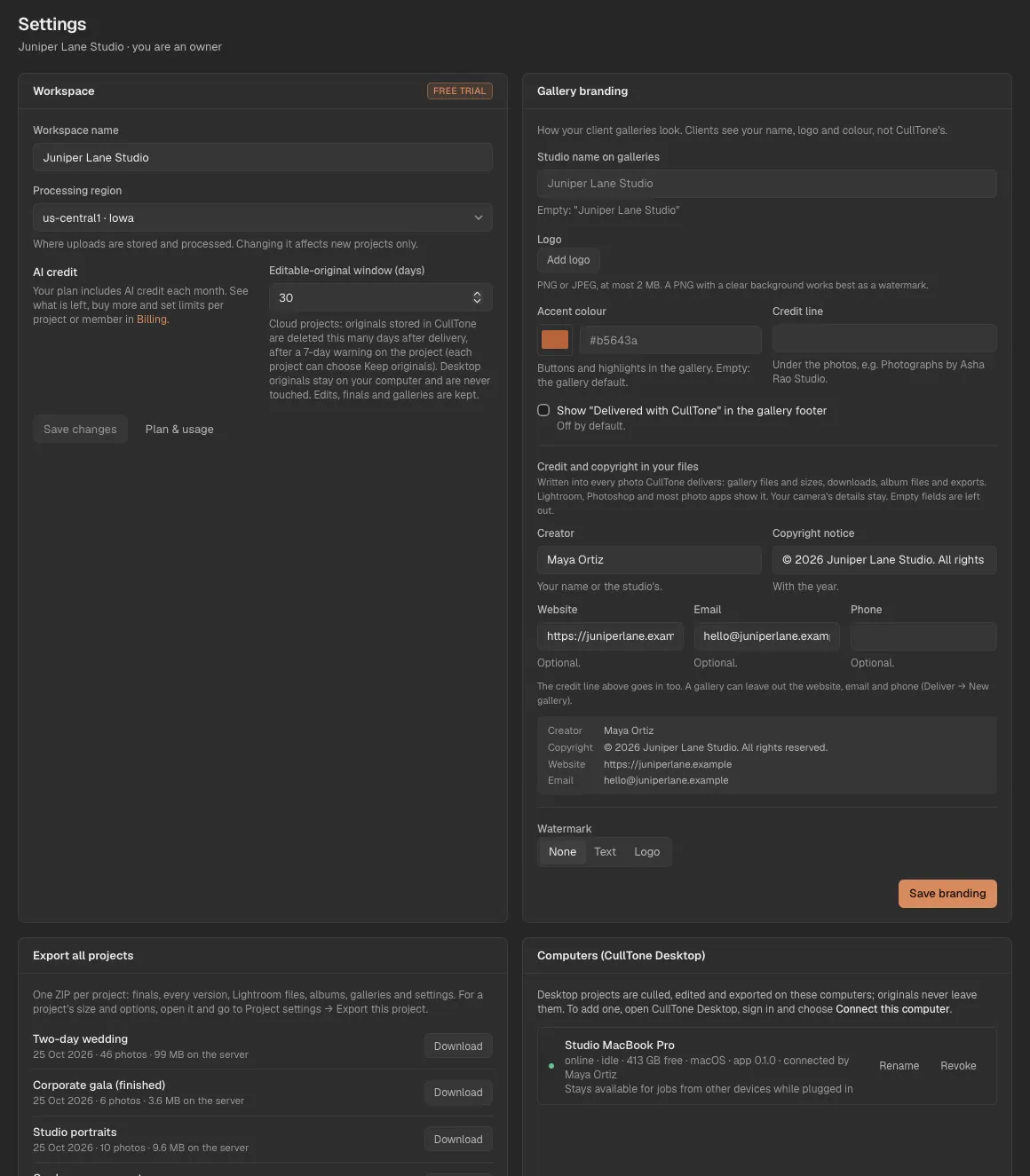
Workspace name, region label and the days cloud originals are kept; your computers; device tokens; members and invites.
-
Billing
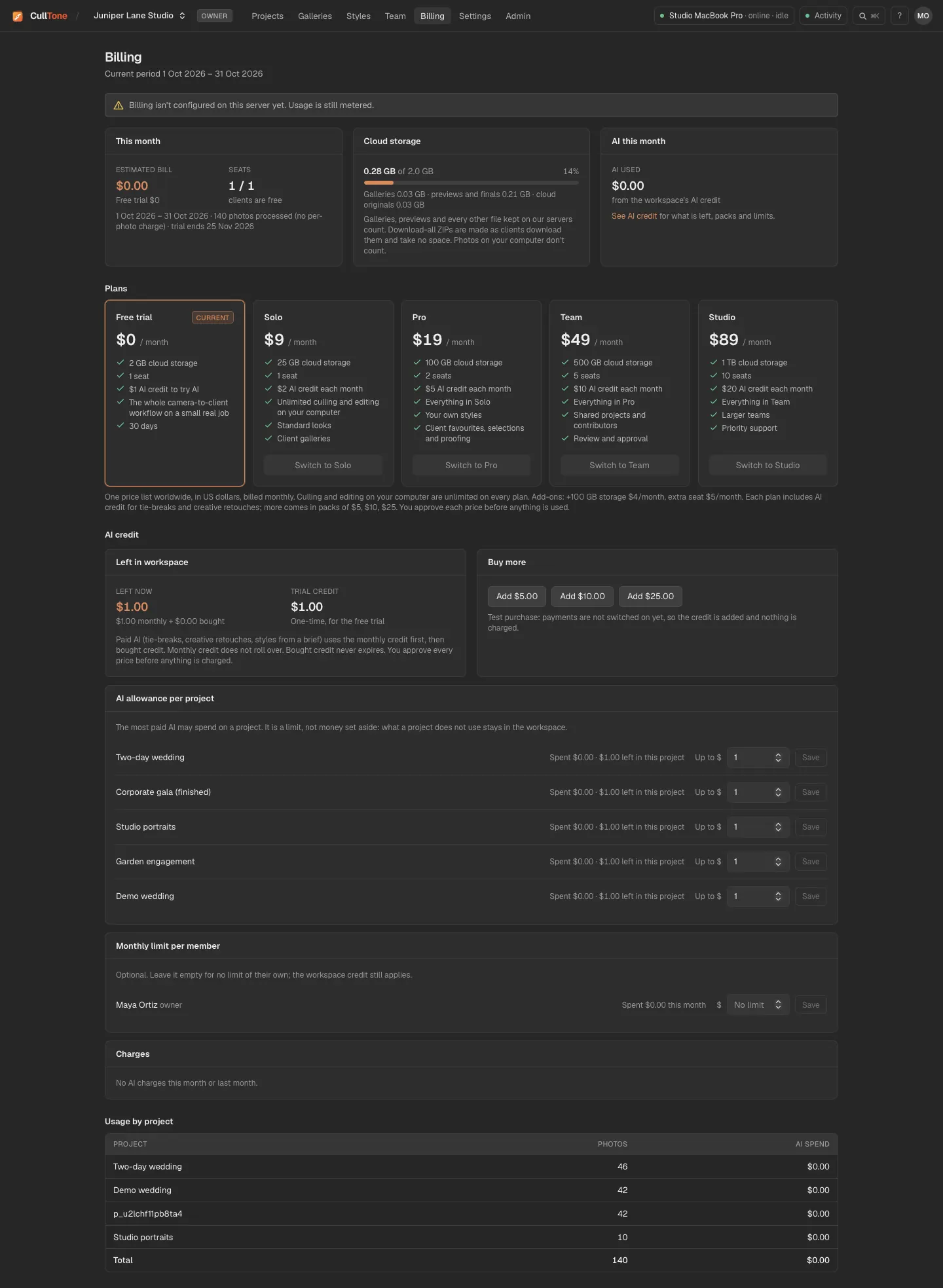
This month's usage, cloud storage against your plan, the plans, AI credit (what is left, packs to buy, an allowance per project, a monthly limit per member and every charge), and usage by project.
-
Project settings and storage
On a project's Overview: the project's look, final size, AI allowance (with what it spent and what is left), photo locations and its storage by kind. Remove old versions keeps the versions that matter (the latest, the chosen, approved and delivered ones) and deletes the rest. Further down, Time on this project shows the minutes spent in Cull, Edit and Review (counted only while you work in them), the minutes per delivered photo, and the time from the last import to a gallery the client can open.

On a phone
-
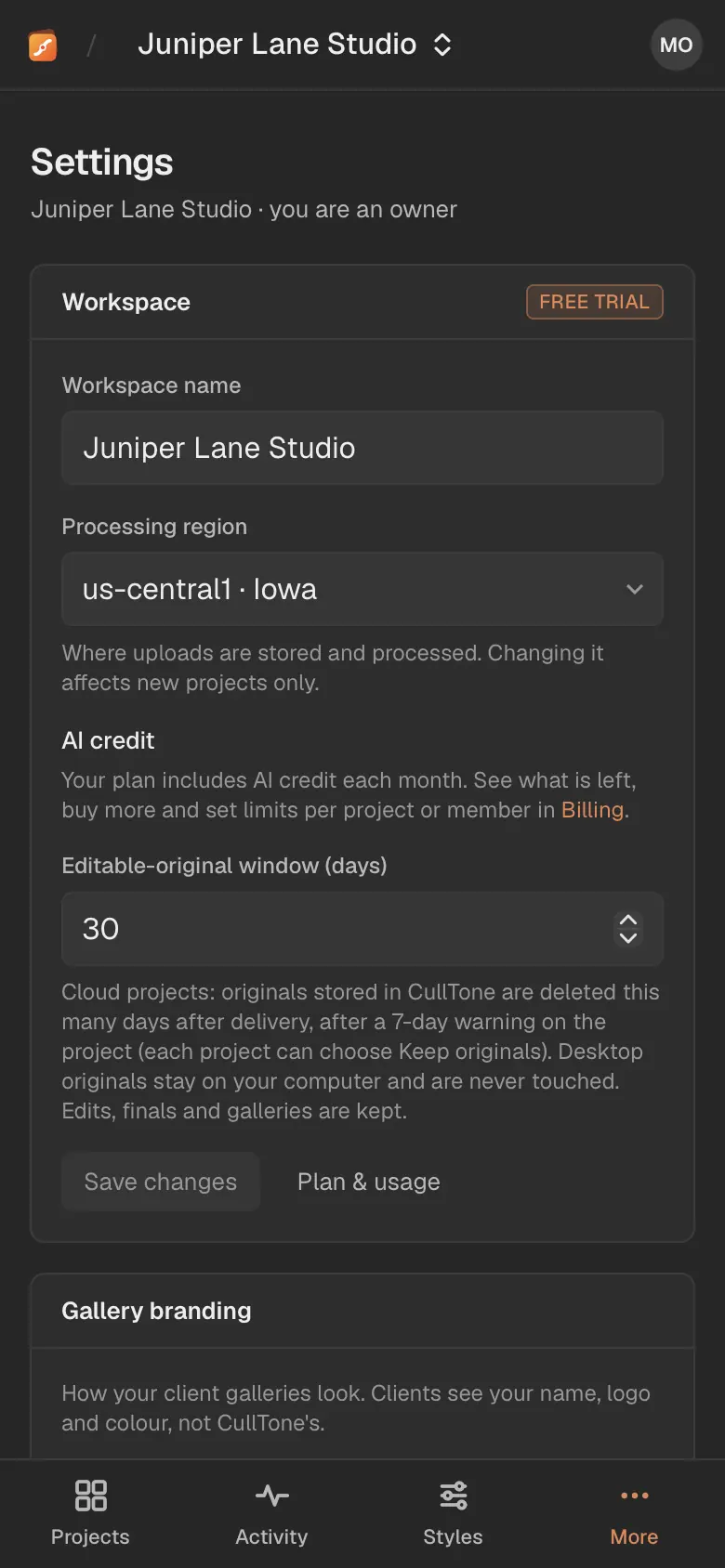
Settings fit the phone
Open them from More.
Storage, plainly
- What counts: previews, rendered edits and galleries kept in CullTone's cloud, plus the originals of cloud projects. Originals on your computer never count.
- Billing and Deliver warn at 70% and 90%. At 100%, a new gallery waits until there is room; galleries already sent stay up.
- To free space: Remove old versions per project, revoke galleries you no longer need, or archive the project (Projects → Archived; nothing is deleted, and owners can restore it within 30 days or delete it for good).
Money
- Plans are priced per month with no charge per photo; see pricing. Card payments are not switched on yet, so nothing is charged during the beta.
- Paid AI uses the workspace's AI credit, only after you approve its price. Each plan includes some every month: Solo $2, Pro $5, Team $10, Studio $20. The free trial gets $1 once.
- The monthly credit starts again on the first of each month (UTC) and does not carry over. When it runs out, the owner can buy a pack of $5, $10 or $25 in Billing → AI credit. Bought credit never expires and is used after the monthly credit. Billing is not live yet, so packs are added without payment for now.
- The owner can give each project an AI allowance (new projects start at $1) and each member a monthly limit. An allowance is a limit, not money set aside: what a project doesn't use stays with the workspace. While a paid step runs, its approved price is held, so two steps started at once can't spend more than is left.