Exit sign out, storm clouds in
Every wedding has the frame you love apart from one thing: the fire exit glowing behind the vows, the water bottle on the stage steps, a sky the colour of paper. Retouch fixes the small ones for free and the big ones for a price you see before anything happens.
Remove, for $0
Paint over an exit sign, a stray elbow or a bottle on the mandap steps and it's filled in from what surrounds it, at full size, with grain put back so the patch doesn't look smoother than the photo. It runs on your Mac and costs nothing. It handles spots up to about a fifth of the photo's long side; anything bigger is a paid change.
Type it, or pick from 831 templates
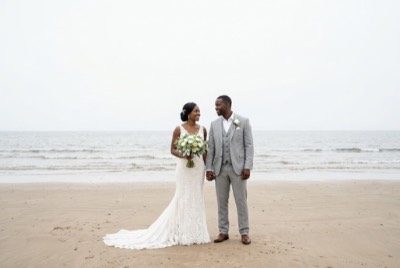
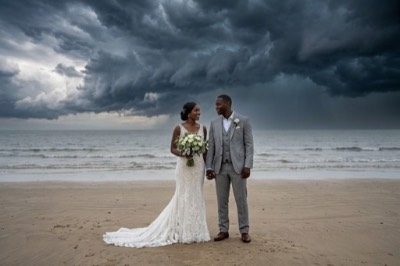
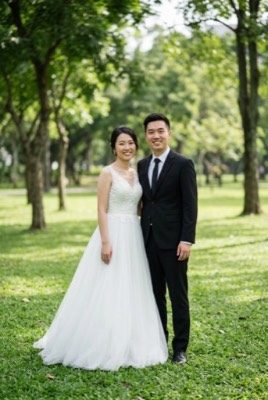
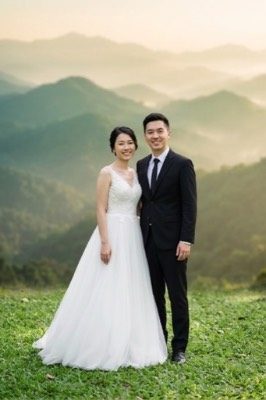
Write what you want in a sentence, or choose one of 831 templates in 16 categories: lighting, backgrounds, sky and weather, seasons, clean-up, outfits, props and vehicles, decor and effects, festive, kids and baby, pets, cartoon characters, fantasy scenes, art styles, cultures and traditions, and Indian weddings by region. A template just writes the sentence for you. Most ask you to paint the area to change; a few, like relighting, change the whole frame.
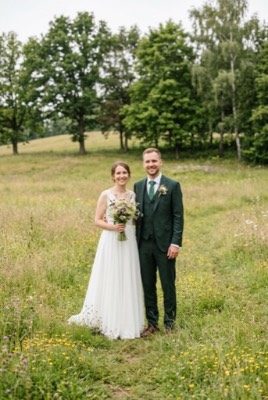
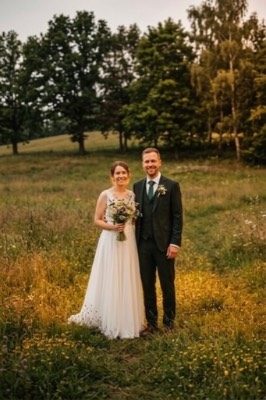
A few before-and-after pairs from the template picker:
Extend: a bigger frame
When a frame is too tight for an album page's bleed, a 4:5 post, a 9:16 story or a phone wallpaper, Extend puts the photo on a bigger frame and the AI draws only the new border. Your photo's own pixels stay as they are, apart from a thin blend at the edges that grow. One run adds at most half the photo on each side; a bigger change takes a second run. It is a paid change, with the price shown first, and the result is labelled AI-extended. How to extend a photo.
The price comes first
Before a paid change runs, the screen shows what that one photo will cost, about $0.10 to $0.14 at 2K. You approve it or you don't. It is paid from the AI credit that comes with your plan, within the project's allowance ($1 to start), and anything that doesn't fit what's left doesn't run. A copy of that photo leaves your Mac for the change, and the result is blended back into your full-size file inside the area you painted.
That price is our supplier's list price. Billing isn't live, and what we'll add on top hasn't been decided. It will be on the pricing page before anyone pays.
The couple will know
A changed photo is a new version, and your own edit stays. You can accept, discard or go back. The new file is labelled as AI-edited in the app, in the client gallery and in the file's own metadata. We think a couple should always be able to tell when the sky over their vows wasn't the sky that day.
Where it falls short
Art styles are hit and miss on real photos of people: on our examples, 57 of them barely changed the photo, so those templates show a title card instead of a picture. Look at the edge of the painted area at 100% before you accept anything.
Try the free removal first
Spot removal costs nothing on any plan, including the 30-day trial. Paid changes ask every time.