Install CullTone on your iPhone or Android phone
CullTone on a phone is the same app as on your computer, added to the Home screen from the browser. There is no app store download. Use it to swipe through a cull, approve edits and send galleries; RAW files are read on your computer, never on the phone.
- Free
- iPhone, iPad, Android
From your computer: scan the code
-
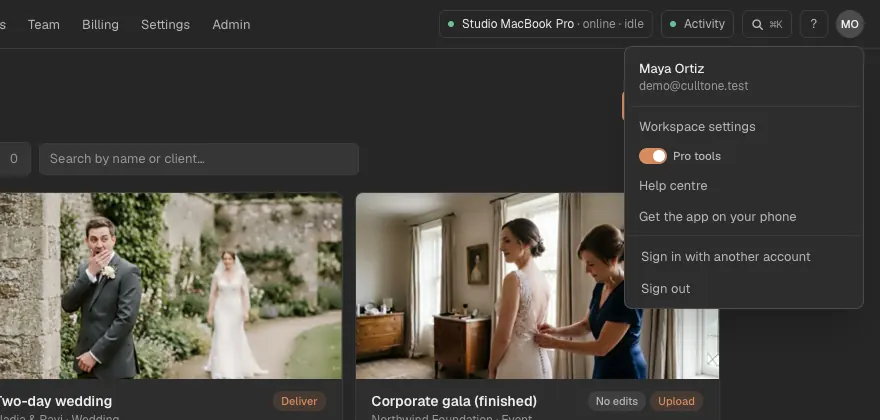
Open the account menu
On your computer, click your initials in the top right and choose Get the app on your phone.
-
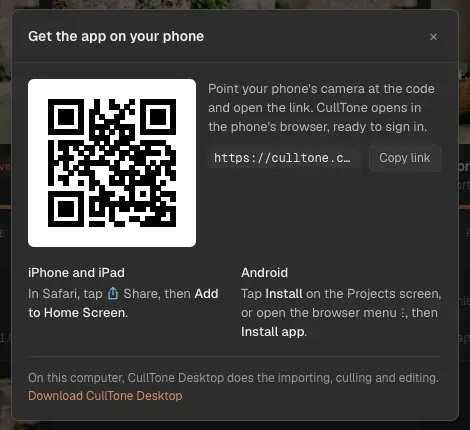
Point the phone's camera at the code
Open the link the camera finds: culltone.com/app opens in the phone's browser, ready to sign in.
On an iPhone or iPad
-
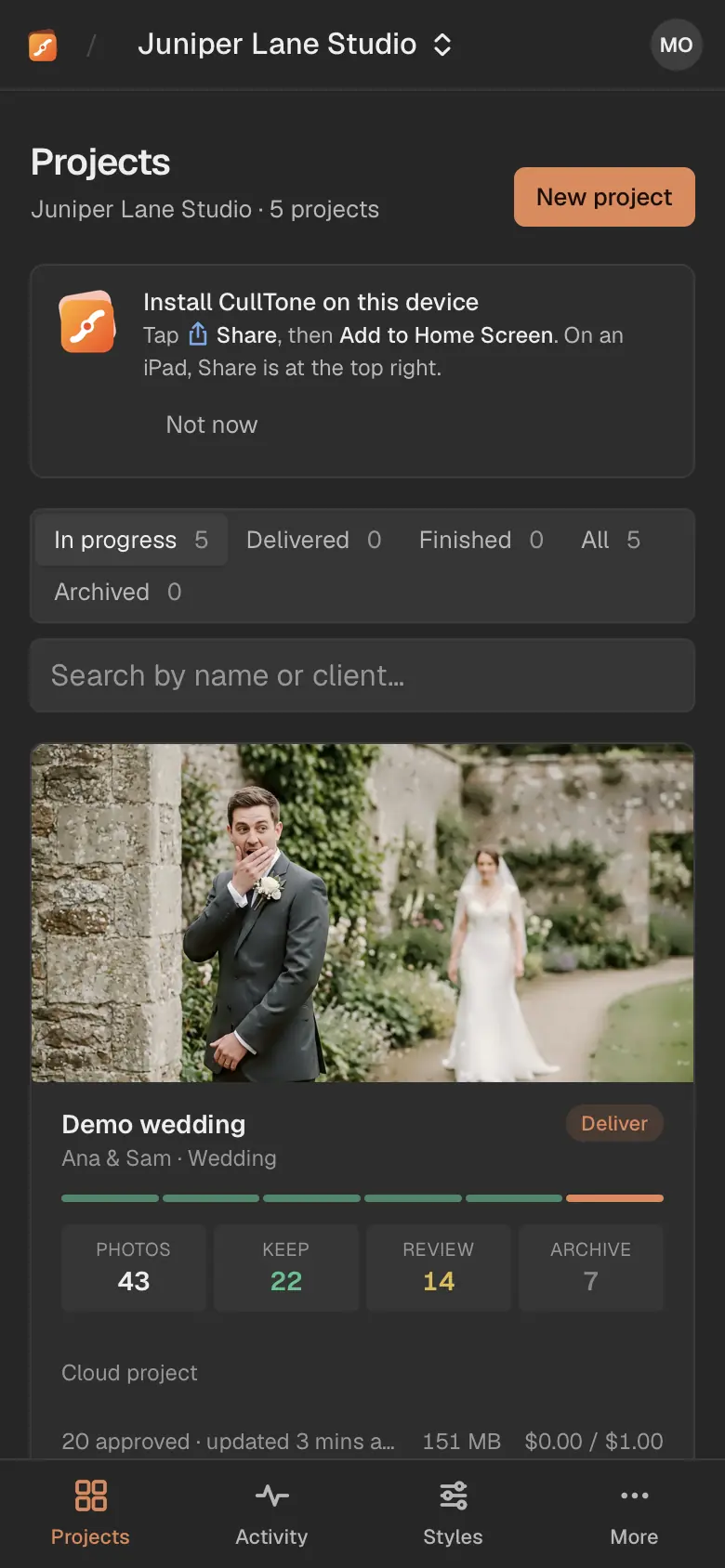
Open CullTone in Safari
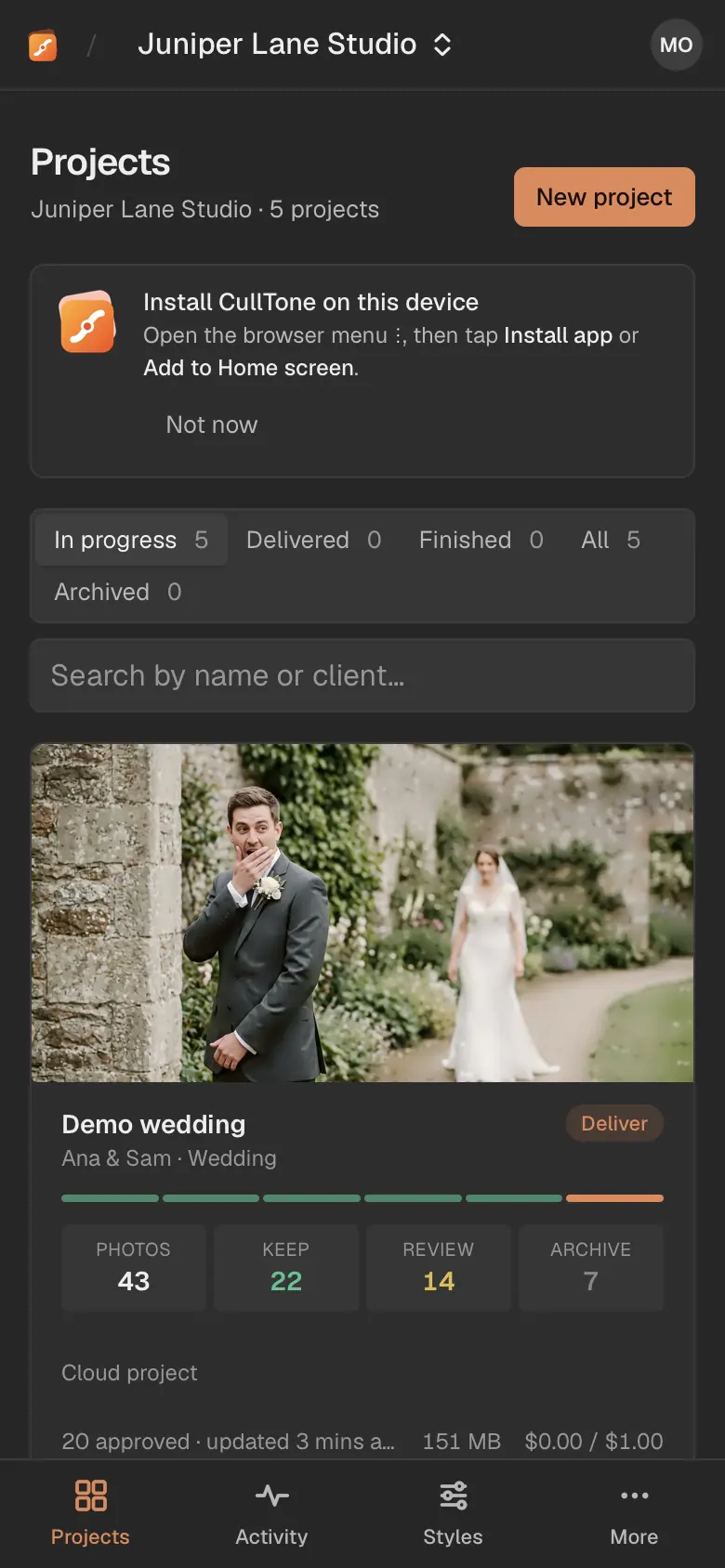
Go to culltone.com/app and sign in. A card at the top of the Projects screen says how to install.
-
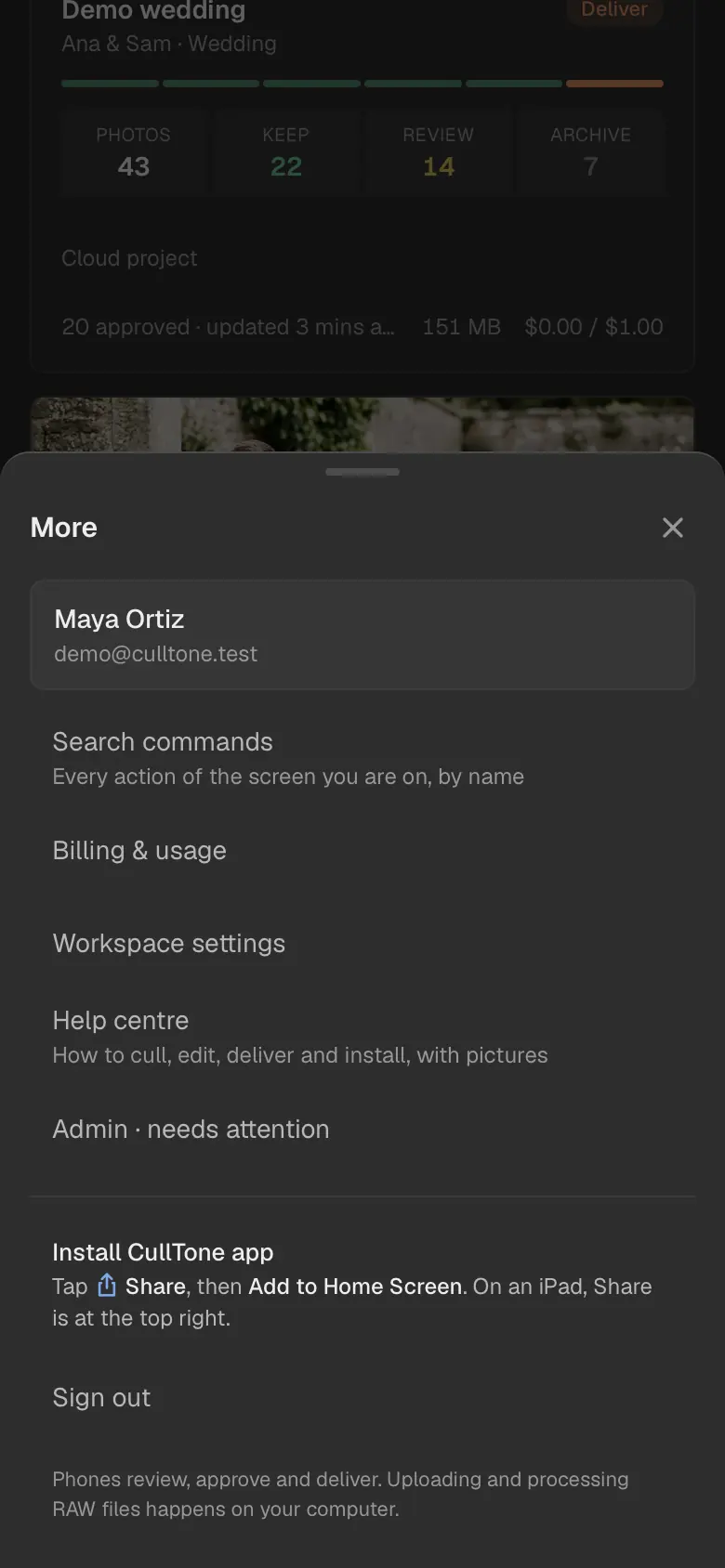
Share, then Add to Home Screen
Tap the Share button, scroll down and tap Add to Home Screen, then Add. The same steps sit under More any time.
On an Android phone
-
Open CullTone in Chrome
Go to culltone.com/app and sign in. Tap Install when CullTone offers it, or open the browser menu (⋮) and tap Install app or Add to Home screen.
Good to know
- The app lives at culltone.com/app. Bookmarks and the Home screen icon open it there.
- Turn on Notify me when culling finishes under More to get a notice when a job ends while CullTone is in the background. On an iPhone, install the app first.
- On a computer, use CullTone Desktop or the browser. There is no separate app to install from the browser on a computer.